| Support Category: Certificate Inquiry | Print |
| Specialist Notes: |
No, not all courses have certificates attributed to them. Individual and overall certificates are available but based on the country. Before providing further instructions with this response, double-check if a certificate is available.
Alternatively, users can open the menu by selecting the hamburger icon (☰) in the upper right corner. Click 'Learning' and select 'View Your Transcript'. Then, change the 'Filter by Training Status' from 'Active' to 'Completed'.
Note: If a certificate is available, users can see these on the 'CE-Approved Courses' section on the home page, and it is mentioned in the course description.
French Canadian SR Translation Si un cours est assorti d’un certificat, vous pourrez le trouver en procédant comme suit : 1. Dans la section « Liens utiles » de la page d’accueil de l’Académie Royal Canin, cliquez sur « Mon profil ». 2. Cliquez ensuite sur « Mes certificats ». Vous pouvez également accéder rapidement aux cours que vous avez terminés en cliquant sur « Complété » sous votre photo de profil et votre nom en haut à droite de la page de bienvenue. 3. Recherchez le nom de la formation que vous avez suivie. 4. Sélectionnez la flèche descendante (▼) à côté du bouton « Afficher la page d’achèvement » pour ouvrir le menu déroulant. 5. Sélectionnez « Voir le certificat » pour l’ouvrir. Vous pouvez télécharger ou imprimer une copie de votre certificat. |
| Canned Response Code: /RC11 |
| Standard Response: |
If a course has a certificate associated with it, you will be able to find your certificate by doing the following:
1. Under the 'Quick Links' section on the Royal Canin Academy's homepage, click on ‘My Profile’.
2. Then, click on ‘My Certificates’.
Alternatively, you can quickly navigate to your completed courses by clicking on ‘Completed’ under your profile picture and name in the top left of the 'Welcome' page. 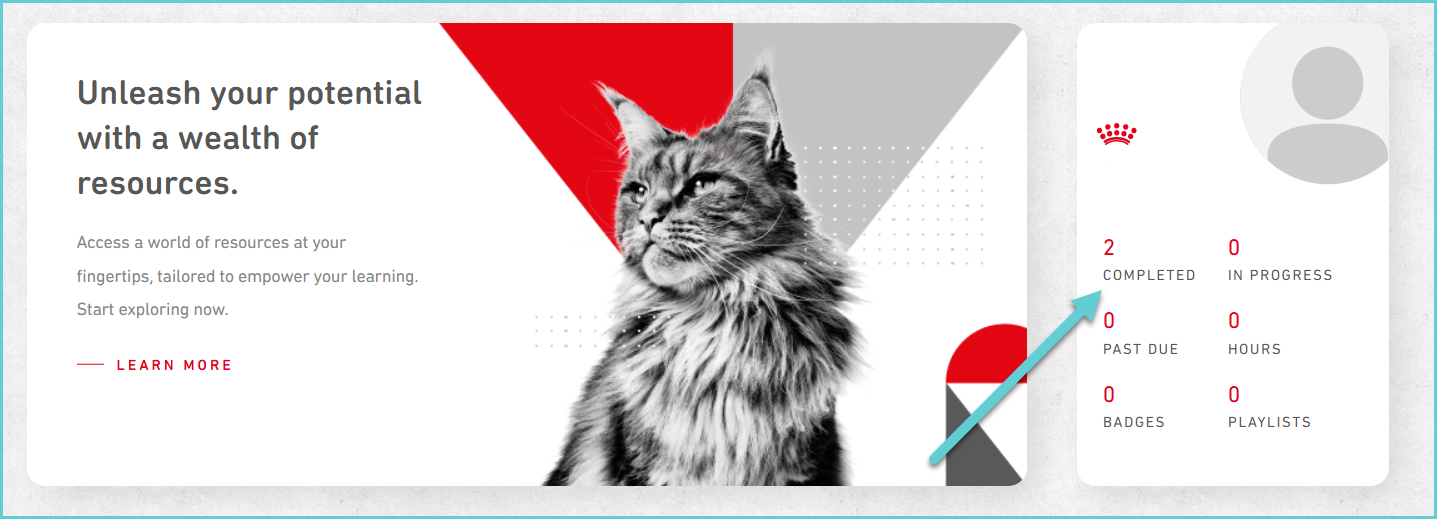
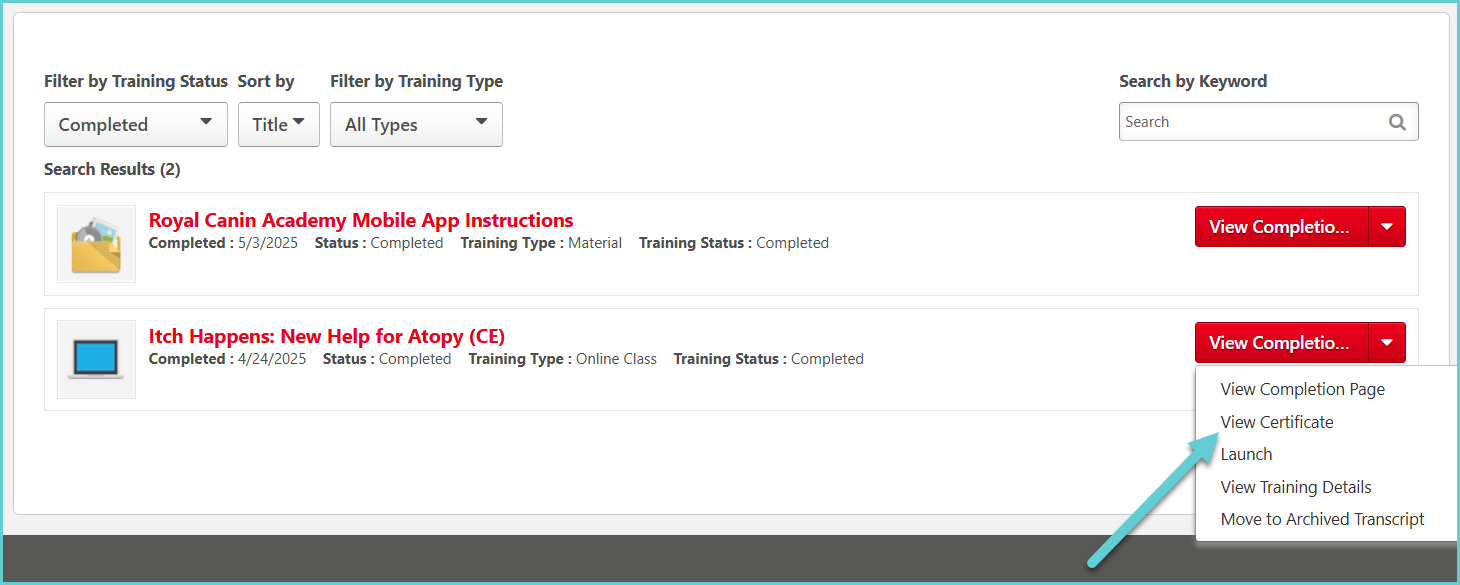
3. Locate the name of the training you completed.
4. Select the downward-facing arrow (▼) next to the 'View Completion Page' button to open a drop-down menu.
5. Select 'View Certificate' to open your certificate. You can download or print a copy of your certificate.