| Specialist Notes: |
Instructions to adjust zoom. Updated instructions based on changes in Microsoft Edge Version 144.
| Canned Response Code: /Edge03 |
| Standard Response: |
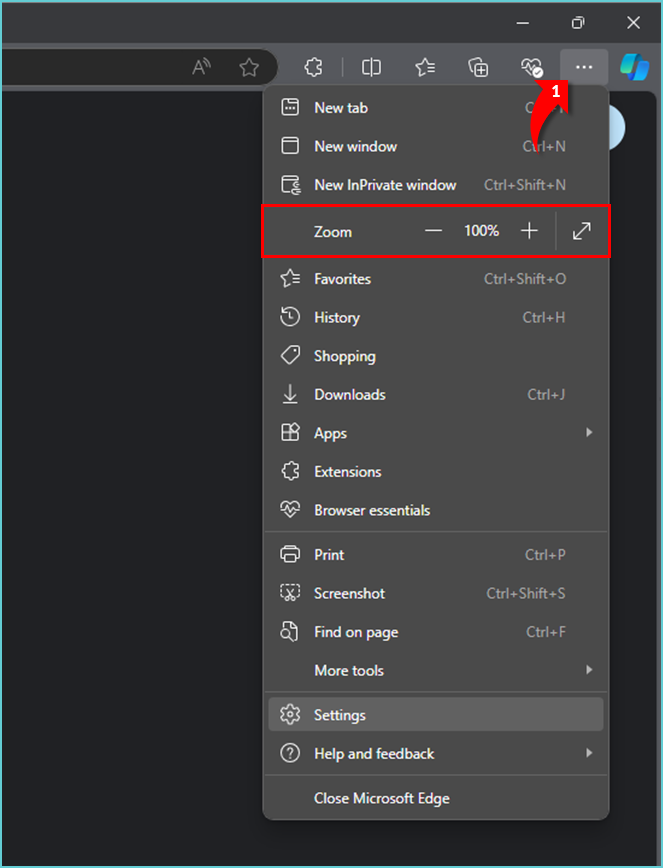
To adjust your Zoom settings, kindly follow the instructions below:
1. In the top-right corner of the browser window, click the ellipsis menu (•••).
2. Click ( + ) to increase and ( - ) to decrease the percentage.
Once you’ve adjusted your Zoom, kindly let me know if your issue has been resolved.